6 Livestock Record Keeping App Pitfalls Ranchers Avoid in 2026
Compare chute-side livestock record keeping app workflows for ear tag IDs, withdrawal dates, breeding calendars, weight gains, and multi-hand cloud sync.
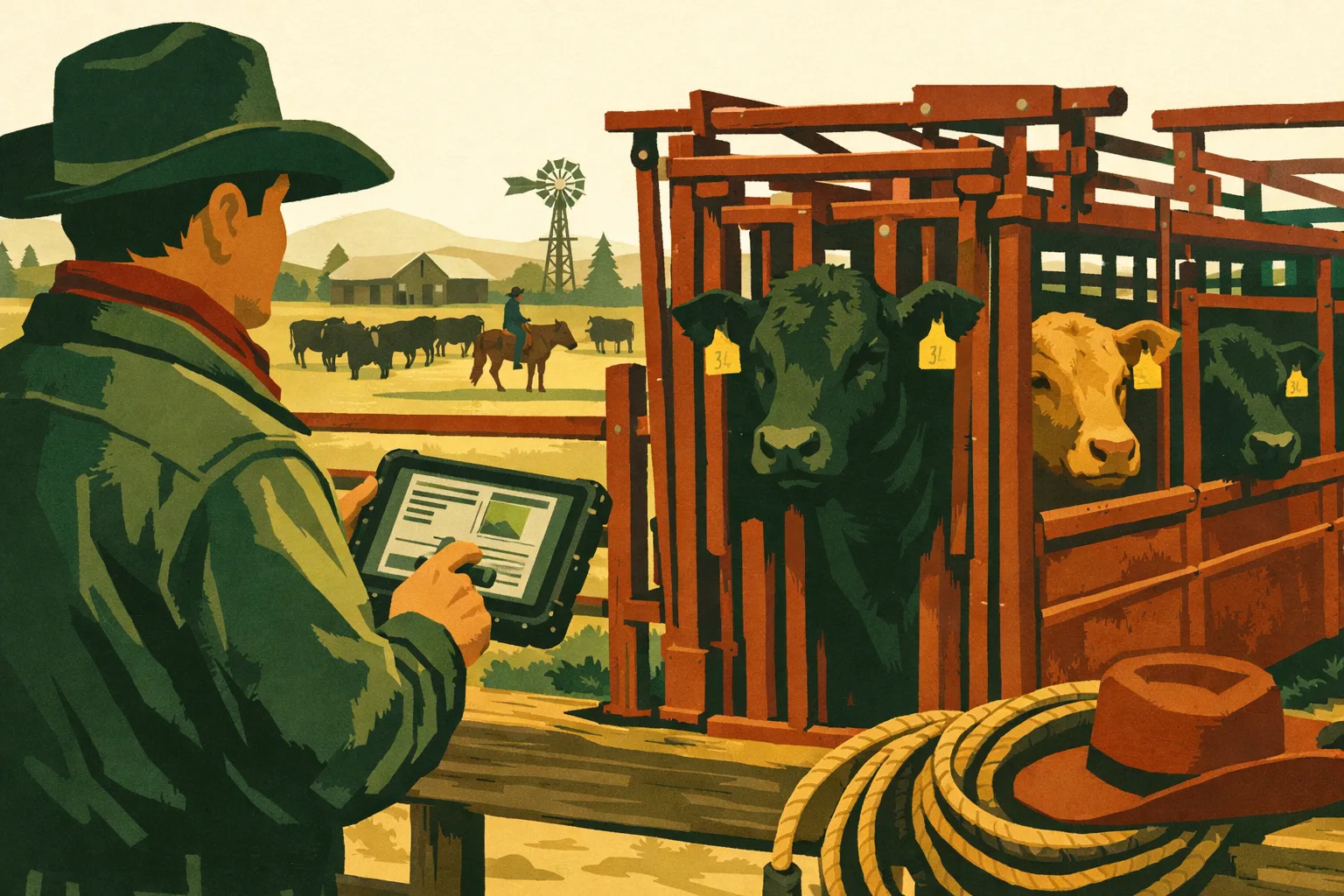
A good herd record is only valuable if it is captured when the work happens: at the chute, in the lambing pen, during kidding, or while sorting sale animals. If the app slows the crew down, loses data without signal, or buries the withdrawal date three screens deep, the operation pays for it later in missed treatments, bad breeding decisions, compliance headaches, and extra office work.
For cattle, sheep, and goat producers, choosing a livestock record keeping app is no longer just about replacing a notebook. The right system should support real field conditions: weak service, dirty gloves, multiple species, changing pasture groups, fast ear-tag lookup, breeding records, health treatments, and usable reports when it is time to sell, cull, retain, or reconcile inventory.
Below are six common app pitfalls to avoid in 2026, plus the practical requirements to look for before you commit your records, crew habits, and herd history to a system.
Why Livestock Record Keeping Apps Fail in Real Operations
Most record systems look fine during a demo. The problems show up when the crew is processing 80 calves before lunch, pulling a ewe for mastitis treatment, trying to identify a buck’s daughters before breeding season, or verifying withdrawal status before shipping.
The gap is usually not the number of features. It is whether those features match livestock workflow.
A commercial producer needs software that can answer daily management questions quickly:
- Which animal is this?
- What group or pasture is it in?
- What is its dam, sire, age, breed, and production history?
- Has it been treated recently?
- Is it eligible for sale, slaughter, breeding, or transport?
- What happened at the chute today?
- What animals need follow-up?
- What records are missing?
If the livestock record keeping app cannot answer those questions while the crew is still working, it becomes another office chore instead of a management tool.
Pitfall 1: Choosing an App That Fails Without Cell Service
Weak service is normal on livestock operations. Chutes, barns, lambing sheds, kidding pens, winter pastures, leased ground, sale sorting areas, and back roads often have unreliable internet. An app that requires constant connection will eventually fail exactly when records matter most.
For cattle producers, that might be during preg-checking, vaccination, weaning, or processing calves. For sheep and goat producers, it might be during lambing, kidding, parasite treatments, hoof trimming, or sorting replacement females.
If records cannot be entered at the point of work, they are often written on paper, typed later from memory, or skipped altogether.
What Offline Entry Should Actually Do
“Offline capable” can mean different things. Some systems let you view existing records offline but not add new ones. Others allow limited notes but do not sync properly. Before relying on any app, confirm that offline mode supports real chute-side work.
A usable offline livestock record keeping app should allow you to:
- Search animal records without service
- Add treatments, weights, breeding events, births, deaths, and movements
- Create new animal records in the field
- Scan or enter ear tags
- Save time-stamped activity records
- Queue records for syncing when service returns
- Warn users about sync conflicts
- Confirm that data successfully uploaded
For a commercial operation, offline entry is not a convenience feature. It is a risk-control feature.
Field Test Before You Commit
Do not rely only on a website description. Test the app under ranch conditions.
Use this simple test before importing your full herd:
- Put a phone or tablet in airplane mode.
- Search for an existing animal.
- Add a health treatment.
- Record a weight.
- Add a note.
- Create a new calf, lamb, or kid record.
- Turn service back on.
- Confirm that every record synced correctly.
- Check the same records from another device.
- Export or view the records in a report.
If any step fails, ask whether that is a temporary setup issue or a design limitation.
Time and Cost Impact
Offline failure usually creates hidden labor. A crew may spend 30 minutes entering records at the chute, then another hour cleaning up incomplete notes later. During heavy work periods, those delays compound.
For a moderate cattle, sheep, or goat operation, expect the initial offline workflow test to take 1–2 hours. That is time well spent before trusting the system with breeding, health, and inventory records.
Pitfall 2: Slow or Weak Ear-Tag Lookup
Ear tags are the everyday handle for livestock records. Whether you use visual tags, EID tags, management IDs, tattoo numbers, scrapie tags, or registration numbers, the app must make animal lookup fast.
If finding an animal takes too long, the crew stops using the system. That is especially true during chute work, processing lambs, treating goats, or sorting replacement heifers.
What Good Ear-Tag Lookup Requires
A strong livestock record keeping app should support more than one identifier per animal. Livestock IDs are messy in the real world. Tags get lost, animals are retagged, purchased stock may come with old numbers, and different programs may use different IDs.
Look for support for:
- Visual ear tag
- Electronic ID or RFID/EID number
- Tattoo
- Registration number
- Scrapie tag for sheep and goats
- Farm management ID
- Previous tag numbers
- Temporary newborn ID
- Sale lot or buyer number
The app should let you search by partial tag numbers, not only exact matches. If the animal is tag 0427, your crew may type “427” or “0427.” The system should handle that without wasting time.
Search Speed Matters at the Chute
During processing, each delay affects animal flow, crew focus, and stress. The app should return search results quickly and display the right information immediately.
At minimum, animal lookup should show:
- Current ID and alternate IDs
- Species
- Sex
- Birth date or age
- Dam and sire if known
- Current group, pasture, or pen
- Health alerts
- Withdrawal status
- Breeding or pregnancy status
- Recent notes or treatments
For sheep and goat operations, fast lookup is especially valuable when managing multiple births, fostered young, bottle kids or lambs, and replacement selection. For cattle operations, it is critical at weaning, preg-checking, calving, and sale sorting.
Common Lookup Problems to Avoid
Watch for these warning signs:
- Search requires exact spelling or full tag numbers
- Animal lists are slow to load
- Duplicate tags are not flagged
- Retagging erases old records
- EID numbers cannot be tied to visual tags
- Records are hard to access from a phone
- The app does not show health or breeding alerts during lookup
A record system should not force the crew to remember the database structure. It should match how people identify livestock in the field.
Pitfall 3: No Reliable Medical Withdrawal Alerts
Health records are not just internal notes. They affect sale timing, slaughter eligibility, food safety, audit readiness, and buyer confidence. Any livestock record keeping app used for commercial animals should make medical withdrawal tracking easy and visible.
Withdrawal mistakes can happen when treatment records are incomplete, labels are misread, animals are moved between groups, or sale decisions are made by someone who did not administer the medication.
A good app reduces that risk by connecting each treatment to the animal record and making the withdrawal status visible before animals are shipped.
What Treatment Records Should Capture
At the animal level, treatment records should include:
- Animal ID
- Date treated
- Product name
- Dosage
- Route of administration
- Lot or batch number when needed
- Reason for treatment
- Person administering treatment
- Meat withdrawal date
- Milk withdrawal date when relevant
- Follow-up date
- Notes on response or retreatment
For group treatments, the app should make it clear which animals were included. That matters in sheep and goat flocks where parasite treatments, hoof treatments, vaccines, or respiratory treatments may be applied to specific pens or age groups. It also matters in cattle groups where one pen may be treated differently from another.
The Alert Must Be Visible at Decision Time
A withdrawal date hidden inside a treatment note is not enough. The app should display a clear alert when an animal is looked up, sorted, sold, or marked for shipment.
Useful alerts include:
- “Under meat withdrawal until [date]”
- “Under milk withdrawal until [date]”
- “Treatment follow-up due”
- “Do not ship”
- “Review before sale”
The alert should travel with the animal record, even if the animal changes groups or pastures.
Withdrawal Tracking Across Species
Cattle, sheep, and goats often have different treatment products, protocols, label directions, and veterinary guidance. Goats and sheep may also involve extra-label drug use under veterinary direction. Your app does not replace the veterinarian, product label, or valid client-patient relationship, but it should store the treatment details accurately so you can manage compliance.
For dairy goats, nurse cows, or any operation marketing milk, milk withdrawal records should be handled separately from meat withdrawal. For meat-focused herds and flocks, slaughter withdrawal is still essential.
Time and Cost Impact
Entering a full treatment record generally takes less than a minute once the app is set up with products and common protocols. The bigger payoff is avoiding hours of backtracking when sale day arrives and someone asks, “Was this group treated?”
Plan 2–4 hours during setup to build your common product list and standard treatment notes. Include vaccines, antibiotics, dewormers, anti-inflammatories, mineral treatments, and any recurring flock or herd health protocols.
Pitfall 4: Weak Lineage and Breeding Records
Lineage tracking is where herd records move from basic inventory to long-term genetic and production management. If an app cannot connect dams, sires, offspring, breeding dates, pregnancy status, and birth outcomes, it will not support serious replacement decisions.
For cattle, sheep, and goat producers, breeding records help answer practical questions:
- Which sires are producing the most keepable offspring?
- Which dams repeatedly wean strong young?
- Which females fail to settle?
- Which lines have calving, lambing, or kidding issues?
- Which animals should be retained, culled, sold, or bred differently?
- Which offspring are related and should not be bred together?
Lineage Is More Than a Family Tree
A basic pedigree view is helpful, but commercial producers need production-linked lineage. The app should connect ancestry to performance.
Useful lineage and breeding features include:
- Dam and sire assignment
- Multiple-sire pasture breeding records
- Artificial insemination records
- Embryo transfer records if used
- Exposure dates
- Breeding group records
- Pregnancy check results
- Expected due dates
- Birth date and birth type
- Birth weight when collected
- Calving, lambing, or kidding ease
- Stillbirths, abortions, and losses
- Foster or grafting notes
- Weaning weight or sale weight
- Replacement status
For sheep and goats, the app should handle singles, twins, triplets, and larger birth groups without confusion. For cattle, it should support pasture exposure and sire groups even when exact sire assignment is not known.
Avoid Apps That Only Track Individual Events
A weak app may let you record that a cow calved or a doe kidded, but not connect that event to breeding exposure, sire, offspring records, and future replacement decisions.
That creates gaps. For example, if a ewe raises twin lambs every year with low treatment needs, you want that history visible when selecting replacements. If a buck’s daughters have udder problems, you want the lineage trail to show it. If a bull group produces heavier calves at weaning, the record system should help you identify that trend.
Breeding Season Setup Checklist
Before breeding season, set up the app so records are easy to capture as work happens:
- Confirm all breeding females are active in inventory
- Verify age, breed, and tag numbers
- Assign females to pasture, pen, or breeding group
- Enter sire or buck/ram exposure groups
- Record turn-in and pull-out dates
- Mark AI or hand-breeding dates where used
- Create pregnancy check tasks
- Set expected calving, lambing, or kidding windows
- Review females with previous birthing issues
- Flag animals not intended for breeding
- Export or review the breeding roster with the crew
This setup may take 2–6 hours depending on herd or flock size and record quality. It saves time later when births begin and the crew is trying to match offspring quickly and accurately.
Pitfall 5: Poor Group, Pasture, and Inventory Tracking
Many record systems focus on individual animals but handle groups poorly. That is a problem because livestock operations manage both individuals and groups.
Cattle may move between calving pastures, summer grass, dry lots, backgrounding pens, and sale groups. Sheep and goats may be sorted by breeding group, age, parasite status, kidding or lambing date, market class, or replacement potential.
If your app does not track movement and group membership clearly, inventory accuracy suffers.
What Group Records Should Show
A practical livestock record keeping app should show:
- Current pasture, pen, or group
- Date moved
- Previous location
- Reason for movement
- Animals included in the move
- Head count by group
- Active, sold, dead, missing, or culled status
- Notes tied to the move
- Group-level treatment or feeding notes where relevant
Group tracking is especially useful for operations with multiple properties, leased pasture, seasonal grazing, or separate buck, ram, bull, doe, ewe, cow, and replacement groups.
Inventory Accuracy Affects Daily Decisions
Bad inventory records create real problems:
- Overlooking open females
- Selling animals that should be retained
- Missing animals during pasture checks
- Treating the wrong group
- Miscounting market-ready animals
- Losing track of purchased animals
- Confusing retained replacements with sale stock
- Failing to document death loss or culls
Accurate inventory also helps when working with veterinarians, lenders, insurance providers, transporters, buyers, and family or employees making day-to-day decisions.
Individual vs. Group Records: What to Require
Both matter. The right app should support each without forcing you into one style.
| Record Type | Best Used For | Examples | App Requirement |
|---|---|---|---|
| Individual record | Animal-specific decisions | Breeding history, treatments, lineage, sale eligibility, culling | Fast lookup by tag, complete history, alerts |
| Group record | Batch work and movement | Vaccinating a pen, moving a pasture group, flushing ewes, sorting weaned calves | Apply events to many animals at once |
| Location record | Inventory control | Pasture, barn, dry lot, kidding pen, lambing group | Current head count and movement history |
| Status record | Lifecycle tracking | Active, sold, dead, culled, retained, missing | Clear status changes with dates |
| Event record | Work history | Weaning, preg-checking, hoof trimming, weighing | Time-stamped and reportable |
A strong system lets you start with group records when speed matters, then drill down to individual animals when management decisions require detail.
Time and Cost Impact
Initial group and location setup usually takes 1–3 hours for a simple operation and longer for multiple species or properties. The main cost is staff time and cleanup of old records. Once set up, daily updates should take minutes, not hours.
If an app makes group movement difficult, crews often stop updating it. That turns the system into a stale inventory list instead of an operating record.
Pitfall 6: Reports That Do Not Support Decisions
Records are only useful if they can be reviewed, filtered, and shared. A livestock record keeping app should make it easy to turn daily entries into action.
A producer should not need to export raw data and rebuild everything in a spreadsheet just to answer basic herd questions.
Reports Producers Should Expect
For cattle, sheep, and goat operations, useful reports include:
- Current inventory by species, group, sex, and age
- Breeding roster
- Open females
- Expected due dates
- Calving, lambing, or kidding history
- Offspring by dam and sire
- Treatment history
- Withdrawal list
- Vaccination records
- Death loss and cull records
- Sales and transfer records
- Weaning or weight records
- Animals missing key data
- Replacement candidates
- Follow-up tasks
The app should let you filter by date range, group, species, sex, pasture, status, and event type.
Reports Need to Match Ranch Questions
A report is not valuable because it is long. It is valuable because it answers a decision.
Examples:
- Before sale day: “Which animals are clear of withdrawal?”
- Before breeding: “Which females are open, old, or poor performers?”
- During kidding: “Which does have not kidded yet?”
- After weaning: “Which dams raised the strongest offspring?”
- Before veterinary work: “Which animals need boosters or follow-up?”
- During inventory: “Which animals are active but not assigned to a group?”
If the app cannot produce those answers quickly, it will not support commercial management.
Export and Ownership Matter
Your operation should be able to export records in a usable format. Even if you like the app, you should not be locked away from your own herd history.
Look for:
- Exportable animal lists
- Treatment records
- Breeding and birth history
- Inventory movement records
- Sales records
- CSV or spreadsheet-friendly formats
- Printable reports where needed
- Backups or sync protection
A good app should make data easier to use, not harder to access.
Practical Checklist: What to Require in a Livestock Record Keeping App
Use this checklist when comparing systems, testing demos, or reviewing your current setup.
Field Use
- Works on phone or tablet
- Supports offline entry
- Syncs reliably when service returns
- Loads animal records quickly
- Allows fast ear-tag lookup
- Supports partial tag search
- Handles visual tags, EID, tattoos, and alternate IDs
- Lets multiple users record work when needed
- Keeps records time-stamped
Health and Compliance
- Records product, dose, route, date, and reason
- Tracks meat withdrawal
- Tracks milk withdrawal when relevant
- Shows withdrawal alerts during animal lookup
- Supports group treatments
- Stores follow-up tasks
- Keeps treatment history tied to each animal
- Allows reports for veterinarian or buyer review
Breeding and Lineage
- Tracks dam and sire
- Handles pasture exposure groups
- Records AI or hand breeding
- Tracks pregnancy checks
- Calculates or stores expected due dates
- Records birth type and offspring
- Handles twins, triplets, and larger litters
- Links offspring performance back to dam and sire
- Flags related animals where lineage is available
Inventory and Movement
- Tracks active, sold, dead, culled, and missing status
- Records pasture, pen, or group
- Supports group movement
- Shows current head count
- Handles multiple species
- Supports purchased animals
- Keeps movement history
Reporting and Data Access
- Produces withdrawal lists
- Shows breeding and birth reports
- Creates inventory reports
- Identifies missing records
- Exports usable files
- Allows filtering by group, species, date, and status
- Supports practical management decisions, not just data storage
How to Evaluate a Livestock Record Keeping App Before Switching
Changing record systems takes effort, so evaluate the app before moving your full history. A short pilot prevents expensive mistakes.
Step 1: Pick a Real Work Event
Do not test software with made-up examples only. Use a real event such as:
- Processing calves
- Vaccinating lambs
- Deworming goats
- Preg-checking cows
- Sorting replacement ewes
- Recording kidding or lambing
- Moving breeding groups
- Weighing sale animals
Enter records as the work happens, or immediately after, using the same people who will use the app long term.
Step 2: Test the Hard Parts
Every app can store a name and a tag. Test the things that usually cause trouble:
- No cell service
- Duplicate or missing tags
- Retagging
- Multiple births
- Group treatments
- Withdrawal alerts
- Pasture moves
- Unknown sire situations
- Purchased animals
- Sold or dead animal status changes
If the system handles messy records well, it is more likely to survive daily ranch use.
Step 3: Run Reports Immediately
After entering the test records, run the reports you would actually use:
- Animals treated today
- Animals under withdrawal
- Current inventory by group
- Breeding group list
- Births by dam
- Animals needing follow-up
- Sale-ready animals
- Missing data report
If reports require too many manual workarounds, the app may become another spreadsheet project.
Step 4: Estimate Setup Time
Setup time depends on herd size, existing record quality, and how much history you want to import. As a practical planning range:
- Small commercial flock or herd: 2–6 hours
- Moderate multi-group operation: 6–16 hours
- Larger or multi-species operation: 2–5 workdays
- Operations with messy historical spreadsheets: additional cleanup time
You can reduce setup time by starting with active animals first, then adding historical records as needed.
Step 5: Train the Crew on Simple Rules
A livestock record keeping app works best when everyone follows the same record rules.
Set standards for:
- How tags are entered
- When treatments must be recorded
- Who records births
- How pasture moves are entered
- How sold and dead animals are marked
- Which notes belong at animal level vs. group level
- Who reviews withdrawal status before shipping
Training does not need to be complicated. A one-page internal guide and a 30-minute walkthrough can prevent inconsistent records.
Species-Specific Requirements for Cattle, Sheep, and Goats
A single app can serve multiple species, but it must respect the differences in how those species are managed.
Cattle Record Requirements
Cattle producers should prioritize:
- Calving records by cow
- Bull exposure groups
- Pregnancy check results
- Weaning weights
- Vaccination and booster records
- Treatment withdrawal alerts
- Pasture movement
- Sale eligibility
- Replacement heifer selection
- Cull cow history
For cow-calf operations, the connection between cow, calf, sire group, and weaning outcome is especially valuable. For stocker or backgrounding operations, group treatment, weight, inventory, and sale records may be the higher priority.
Sheep Record Requirements
Sheep producers should prioritize:
- Ewe lambing history
- Ram exposure groups
- Lamb birth type
- Foster or grafting notes
- Scrapie tag records
- Parasite treatment records
- Foot health records
- Replacement ewe selection
- Death loss tracking
- Group sorting by age, sex, and market class
Sheep operations often manage many animals in a short lambing window. The app must make birth entry fast enough to use during busy days.
Goat Record Requirements
Goat producers should prioritize:
- Doe kidding history
- Buck exposure groups
- Kid birth type and survivability
- Milk withdrawal records when applicable
- Meat withdrawal records
- Parasite and hoof health history
- Bottle kid or foster notes
- Scrapie or official ID records
- Replacement doe selection
- Sale and transfer records
Goat herds often need detailed health tracking because parasite management, hoof issues, kidding records, and individual doe performance can drive profitability.
Common Record-Keeping Mistakes to Fix During App Setup
Switching to a livestock record keeping app is a good opportunity to clean up weak habits.
Duplicate IDs
Duplicate tags cause confusion in treatment, breeding, and sales records. During setup, run a duplicate check and decide how to handle animals with repeated numbers.
Use alternate identifiers where needed rather than overwriting history.
Missing Birth Dates
Exact birth dates are ideal, but approximate dates are better than blank records. At minimum, record birth year or season so age-based decisions are possible.
Inactive Animals Still Listed as Active
Sold, dead, culled, or transferred animals should not remain in the active herd. Clean status records improve inventory accuracy and reduce confusion during reports.
Treatment Notes Without Withdrawal Dates
A note that says “treated for foot rot” is not enough. Record product, date, dose, and withdrawal details.
Breeding Groups Not Recorded
If you do not record sire, ram, or buck exposure groups at breeding time, it is harder to interpret offspring later. Even if parentage is not exact, group-level breeding records are useful.
Group Moves Not Updated
Pasture and pen records should reflect current reality. If the app shows animals in the wrong place, crew confidence drops quickly.
Budgeting for Software, Setup, and Daily Use
The cost of a livestock record keeping app includes more than a subscription price. Evaluate total operating cost.
Direct Costs
Direct costs may include:
- App subscription or premium plan
- Additional users
- EID reader integration if needed
- Tags, taggers, or RFID equipment
- Tablet or rugged phone
- Data plan if required
- Setup or import assistance
Some operations can start with a free app and add equipment later. Others may need EID readers or rugged devices if they process large groups frequently.
Labor Costs
Labor is often the largest setup cost.
Plan time for:
- Cleaning current records
- Importing active animals
- Creating groups and pastures
- Building product lists
- Training crew members
- Testing reports
- Reviewing records after first use
Daily entry should be fast. If routine records take too long, the system will not last.
Practical Starting Approach
You do not need to digitize every historical detail on day one. Start with the records that affect immediate decisions:
- Active animals
- Current IDs
- Species, sex, and age
- Current group or pasture
- Breeding status
- Recent treatments and withdrawals
- Pregnant or due animals
- Replacement candidates
- Sale animals
- Sires, dams, bucks, rams, and bulls
Then add older history as it becomes useful.
The App Should Fit the Operation, Not the Other Way Around
A good livestock record keeping app should reduce friction, not create it. It should match how livestock work is done: quickly, in groups, with imperfect conditions, and with decisions being made in real time.
For cattle, sheep, and goat producers, the strongest systems share the same core traits:
- They work offline.
- They find animals fast by tag.
- They keep health records tied to withdrawal alerts.
- They connect breeding, birth, and lineage records.
- They track groups and inventory clearly.
- They turn daily records into usable reports.
If an app cannot do those things, it may still be a digital notebook, but it is not a dependable herd-management system.
How HerdFlo Helps
HerdFlo is built for livestock producers who need practical records without turning field work into office work. The free HerdFlo app helps cattle, sheep, goat, and hog producers track herd records, breeding activity, births, health events, treatments, withdrawals, inventory, and lineage from one place.
Use HerdFlo to:
- Look up animals by ID
- Track breeding, calving, lambing, kidding, and farrowing records
- Record health treatments and follow-up tasks
- Maintain withdrawal information
- Connect dams, sires, and offspring
- Organize animals by group or status
- Keep better records for sale, culling, replacement, and veterinary decisions
If you want cleaner livestock records in 2026, start by setting up your active animals and current groups in the free HerdFlo app at herdflo.com.
For whole-operation records beyond the herd, including broader farm management tracking, visit FarmsFlo.